Improving DOM Reflow & Repaint in Browsers
Introduction
Efficient web performance is crucial for providing a smooth user experience. Understanding and optimizing DOM reflow and repaint processes can significantly enhance performance, leading to faster load times and seamless interactions. Let's dive into what these processes are and how we can optimize them.
What are Reflow & Repaint?
Reflow and repaint are critical processes that the browser performs to render a webpage:
- Reflow: The calculation of the layout of elements on the page, determining their size and position.
- Repaint: The application of styles and the drawing of pixels to the screen after the reflow.
It might be confusing if you never heared about. but let's explain the process in details to give you clear understanding
The Browser Rendering Process
The journey from HTML code to a fully rendered webpage involves several steps:
-
Parsing HTML: The browser parses the HTML to construct the DOM tree.
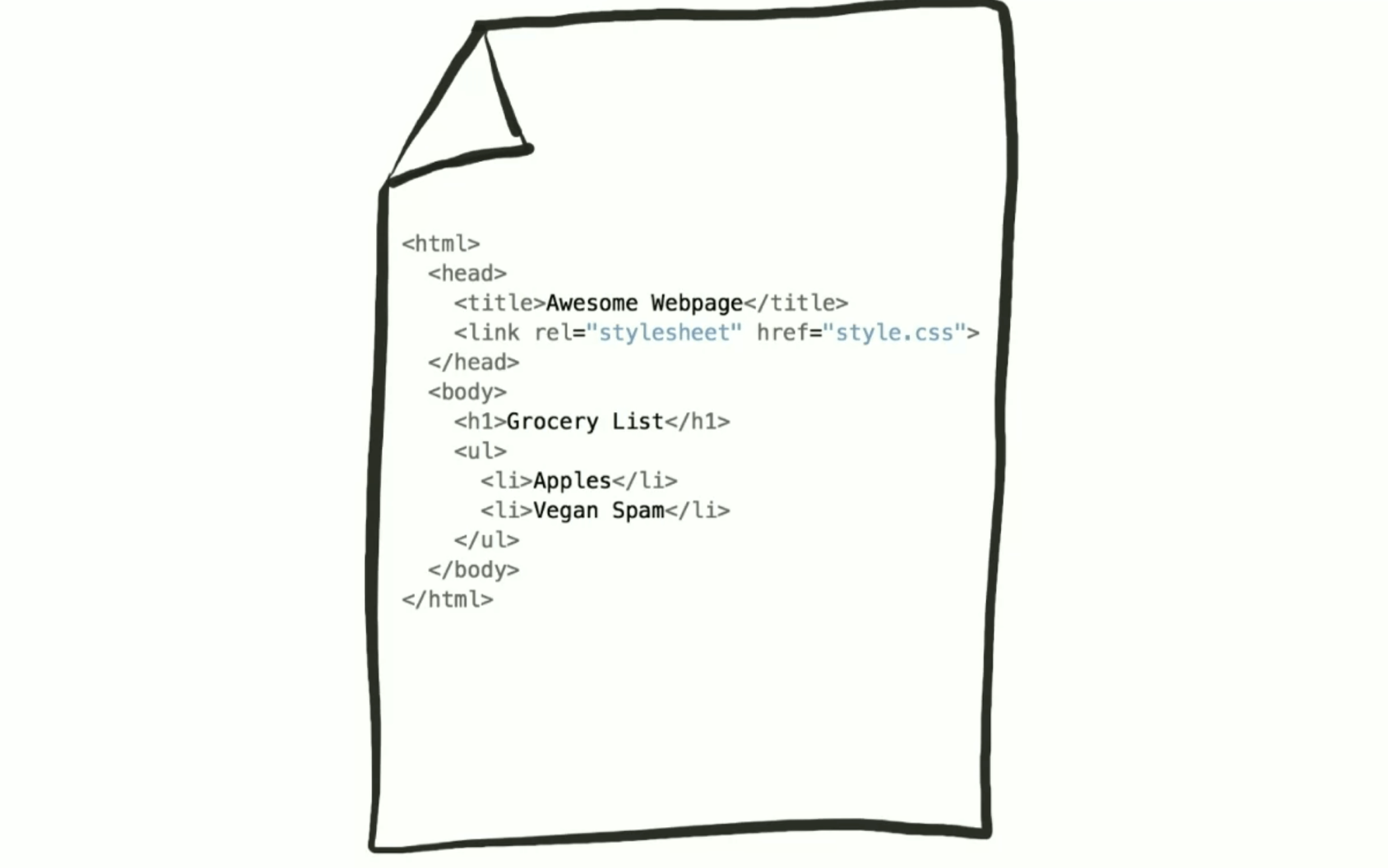
-
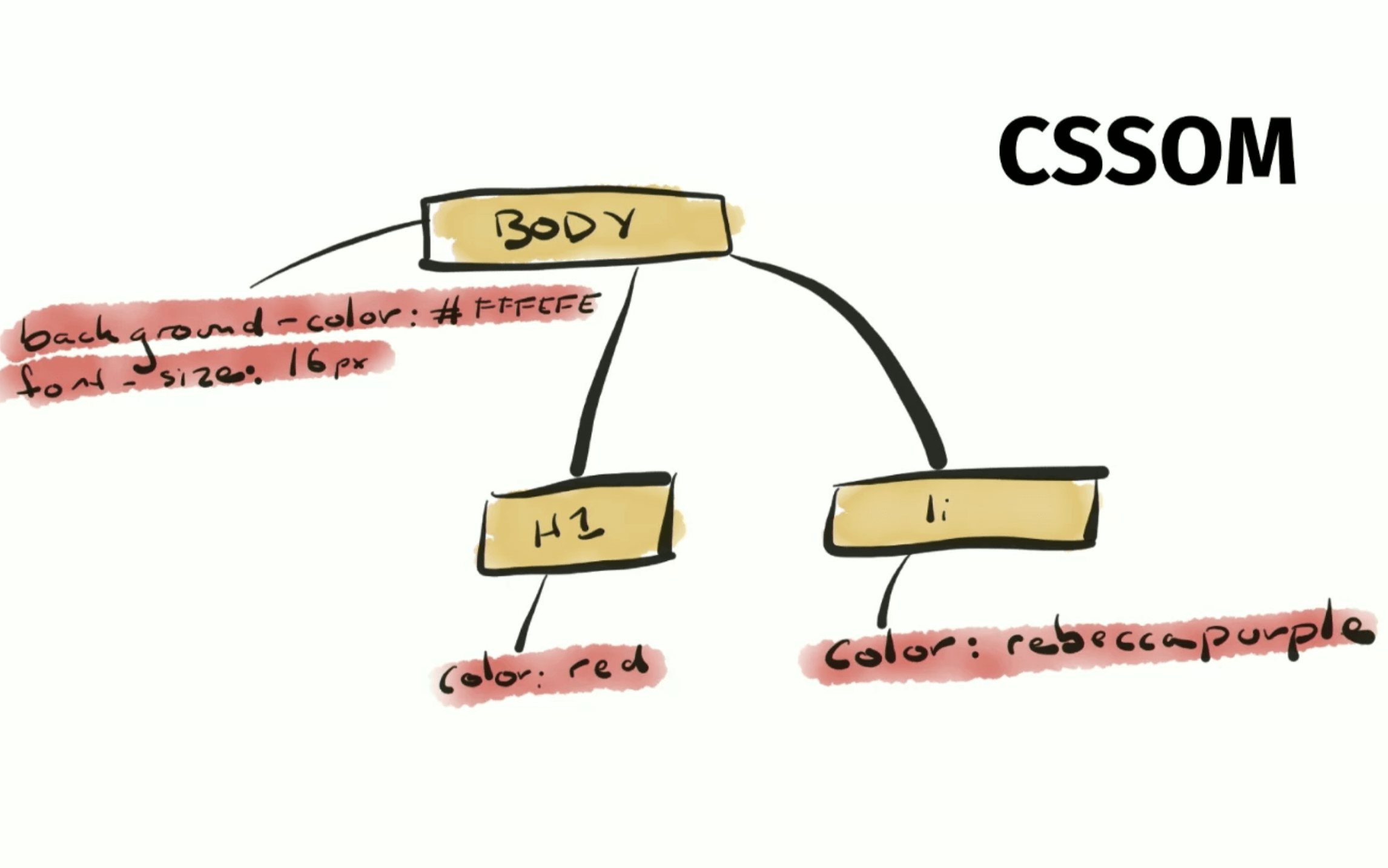
Building the CSSOM: Any CSS style is parsed to create the CSS Object Model (CSSOM).
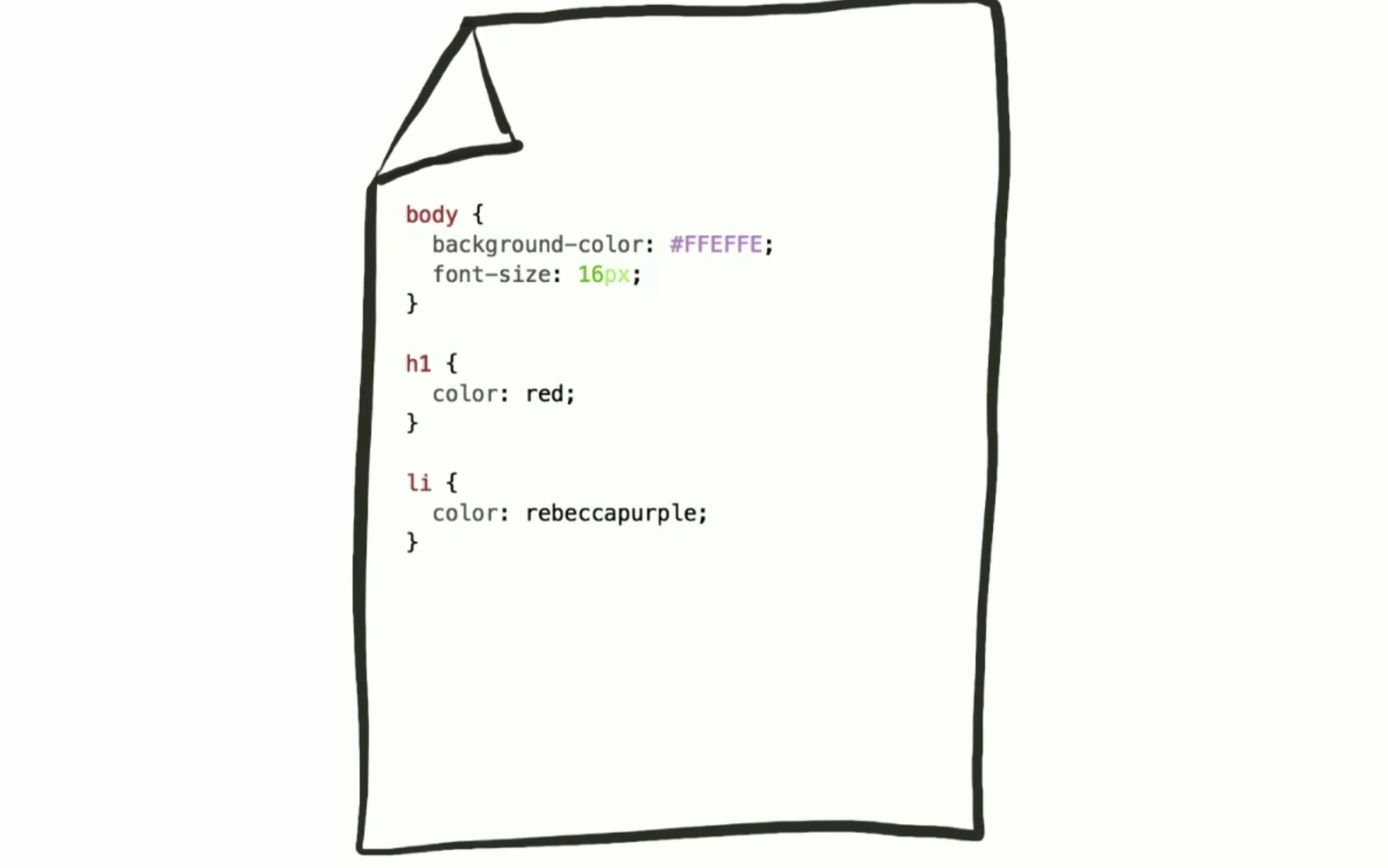
Then this style is converted to Object model like the DOM. this called CSSOM
-
Rendering Tree: The DOM and CSSOM combine to form the render tree, representing the structure of visible elements.
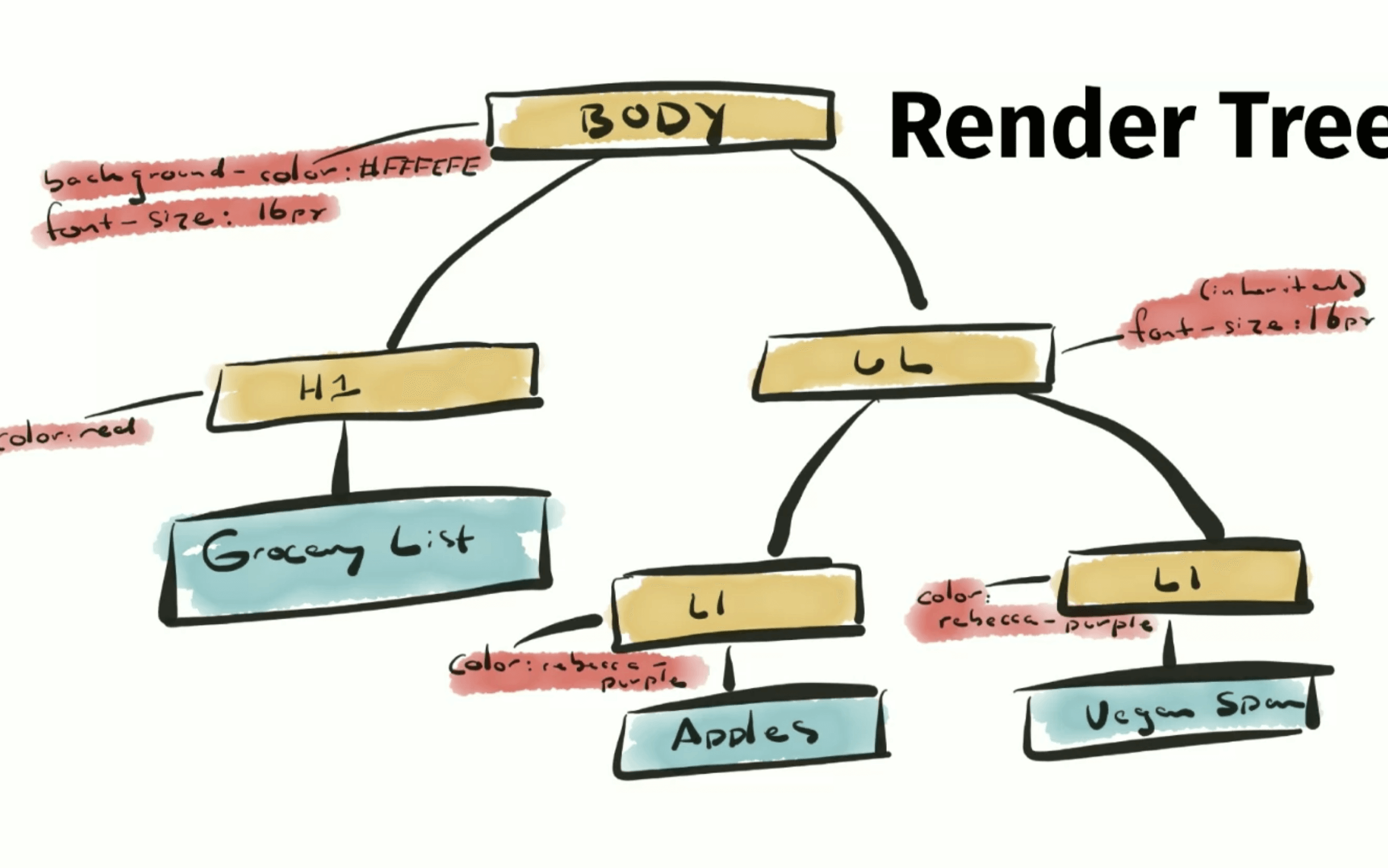
-
Layout (Reflow): The browser calculates the layout, determining the size and position of elements.
-
Paint: The render tree is traversed to paint the elements on the screen.
-
Compositing: Multiple layers are combined to create the final image displayed to the user.
The Render Tree
The render tree maps visible objects on the page. It excludes hidden elements but includes pseudo-elements like :before and :hover. Efficient render tree construction is key to performance.
Efficient Style Calculation
Optimizing style calculation can reduce reflow and repaint times:
- Minimize unused CSS.
- Reduce the number of styles affecting a given element.
Minimizing Layout (Reflow)
Reflows can be resource-intensive. Here are strategies to minimize them:
- Batch DOM changes to limit reflow frequency.
- Use CSS properties that affect fewer elements.
- Avoid table layouts as they can cause multiple reflows.
Optimizing Paint
Painting involves applying styles and drawing pixels. Efficient painting leads to faster rendering:
- Use simpler CSS properties.
- Reduce the number of elements that need to be painted.
Leveraging Composite Layers
After painting, the browser may composite multiple layers to create the final image. This is particularly useful for complex pages with many moving parts.
The Role of JavaScript
JavaScript can trigger reflows and repaints by manipulating the DOM. For instance:
- Changing classes or inline styles.
- Adding or removing elements from the page.
document.getElementById("example").classList.add("new-class");Common Causes of Reflow
Several actions can trigger a reflow:
- Resizing the window.
- Changing the orientation.
- Modifying content or styles.
- Adding or removing elements.
Best Practices to Avoid Reflow
To minimize reflows and repaints:
- Change classes at the lowest level in the DOM.
- Avoid repeatedly modifying styles.
- Optimize animations using techniques like
will-changeandrequestAnimationFrame(). - Batch DOM manipulations.
By understanding and optimizing these processes, we can create smoother, faster, and more efficient web experiences. Happy coding!